
Note: Winter Orientation is for accepted students starting classes in January 2027.
If you are an accepted student starting in September 2027, congratulations! You will be invited to attend Summer Orientation, which takes place in May–June (registration will open in March). Please visit our checklists page for your next steps.
Winter Orientation: Friday, January 22, 2027
Attend one of two sessions: 10 a.m.–2:30 p.m. or 12–4:30 p.m.
We are so happy to welcome you and your family to the University of Rhode Island community! All new students starting in January are encouraged to attend one session of Winter Orientation to meet other new students, finalize course schedules, get IDs, and learn more about campus. We look forward to meeting you! Go Rhody!
Registration (coming soon)
Please plan to arrive at least 30 minutes prior to the start time of your session.

Get Rhody Ready!
During Orientation, you will:
- Hear more about URI’s welcoming community from university leadership.
- Finalize your class schedule with an advisor.
- Pick up your student ID.
- Take a guided tour to familiarize yourself with campus.
- Meet other new students.
- Learn about URI’s online tools for finding internships and searching for employment.
- Explore the student resources and support services provided by campus departments.
- Connect with current URI students to learn about involvement opportunities (leadership programs, community service, athletics, honors classes, clubs and organizations, and more).
- Enjoy a complimentary meal at one of our dining halls.
If you have general questions about Orientation, please contact Rhode2Ram@uri.edu.
Prepare for Orientation
Step 1:
Confirm Your Plans
Complete your Enrollment Confirmation Form
- This will let us know your plans for the upcoming semester. Once you submit your form, you will be able to pay your enrollment deposit via your admitted student portal. If you don’t plan to enroll at URI, you can also let us know that through the form.
Step 2:
Pay Your Deposit
Pay Your Enrollment Deposit
- Once you complete your Enrollment Confirmation Form, you can pay your enrollment deposit by clicking the link in the checklist in your admitted student portal (NOT required for Talent Development Scholars).
- An enrollment deposit confirms your intent to attend URI. The deposit is $300 for commuters or $500 if you plan to live in a residence hall.
Financial Aid Awards — If you don’t see your financial aid award posted, it may still be in process. You will receive an email from Financial Aid with the subject line “Your URI Financial Aid is Ready” when your aid is posted or revised. Until then, review our Financial Aid Checklist.
Step 3:
Set up Accounts
Step 3.1 — As soon as you make your enrollment deposit, set up your eCampus account.
Complete this mandatory step before proceeding to the next steps.
- After you make your deposit and receive your URI ID number, you should set up your eCampus Account through the eCampus registration system. You will need to enter your first name, last name, and student ID number. You will then receive a username and create an eCampus password — keep these somewhere safe!
_______________________
Step 3.2 — Two hours after setting up eCampus, set up your Single Sign-On (SSO) password.
- For most students, your SSO account will be active and ready for you 2 hours after you set up your eCampus account, but you must set up your Single Sign-On (SSO) password to complete the process. Your URI SSO gives you convenient, secure access to many URI applications — so don’t forget this step!
_______________________
Step 3.3 — Complete Your Financial Responsibility Agreement
- Complete your Student Financial Responsibility Agreement. This step is mandatory for all URI students. The agreement clearly explains our policies related to e-billing, late payment penalties, contact methods, etc. You will need to log into eCampus and select the eCampus tile (not eCampus Financials), and follow the steps provided.
_______________________
Step 3.4 — Access URI Email and Other Accounts
- Setting up URI Email: After setting up your SSO, you can go to gmail.com and log in with your URI SSO credentials to start using your URI email and all of our key programs and systems.
- Use your new URI SSO to access all of your key programs and systems through MyApps. These include, but are not limited to eCampus, Microsoft tools, and Brightspace.
- After setting up your accounts, complete your cybersecurity training. Cybersecurity awareness training is critical in minimizing the serious cybersecurity threats posed to end users by phishing attacks and social engineering.
Contact the IT Service desk if you have questions or need assistance. N
Step 4:
Schedule Academic Advising
Academic advising is the most important first step in preparing for your semester. URI advisors work with you to interpret transfer credits, plan your spring schedule, and connect you to faculty within your major.
Schedule your advising appointment before Winter Orientation, directly in Starfish. Course registration opened on November 16, and we recommend making an advising appointment as early as possible.
Please note that Starfish access is typically available 1–2 business days after your deposit is processed. Be sure that you have first accessed your eCampus account and URI email before attempting to log in to Starfish.
This step will take you approximately 15 minutes and should be completed before Orientation so that your academic advisor can assist you in enrolling for the most appropriate classes when you meet with them during Orientation.
To access the Spring 2027 URI Advising Information Form
- Log into Starfish using your Single-Sign On (SSO) credentials.
- Select the three-bar, stack menu in the upper left corner.
- Select Student Surveys.
- Select Spring 2027 URI Advising Information Form.
- Complete the form and click ‘Save & Submit’ when finished.
- You’ll need a list of your high school courses and grades, as well as AP/IB/EEP information (if applicable).
- If you took dual enrollment college courses in high school, don’t forget to send us the official transcript from that college to receive credit.
- If you have transfer credit evaluation questions, find your Transfer Credit Evaluation Contact. Transfer students should also ask their advisor about Transfer URI 101: Planning for Academic Success.
Call the Fannon Institute for Student Success at 401-874-2993 if you need support, especially with scheduling. Please have your URI ID# ready.
Step 5:
Student ID Photo
In order to have your student ID ready for pick-up at Orientation, you must submit a photo of yourself via our campus card app. Please see these instructions on how to access the Atrium Campus Connect app on iPhone or Android devices, and how to upload your ID photo. Atrium Campus Connect will also serve as a virtual version of the ID card that you will receive at orientation.
- Please email the Campus ID Office with any questions about your ID card.
Step 6:
Housing
For students starting in January 2027
Apply for on-campus housing, if applicable. No housing deposit is required.
Need Help with Housing?
You can chat with us in your URI My Housing portal during business hours, call us at 401.874.4151, or email us at housing@uri.edu.
Step 7:
Meal Plans
Select your Meal Plan
For all questions related to dietary accommodations, nutrition, ingredients, or food preparation methods, please contact Karen Orabona, M.Ed, RD, LDN, our Dietitian and Nutrition Specialist at karenorabona@uri.edu or 401.874.4856.
Step 8:
Health Requirements
All full-time undergraduate students (12+ credits), full-time graduate students (9+ credits), and all international students are required to carry health insurance. URI offers a Student Health Insurance Plan through UnitedHealthcare. Students may either enroll in this plan or waive coverage if they have qualifying insurance. Waivers and enrollments are completed through uri.myahpcare.com, and all students must upload their insurance information to the Health Services Patient Portal (uri.medicatconnect.com) under the Insurance section once complete.
In addition, immunization compliance is required for all newly enrolled students in accordance with university and state regulations. To remain enrolled and avoid registration or access holds, students must log into the Health Services Patient Portal and select Immunization. Rhode Island residents will see records automatically uploaded. Most out-of-state students may request records electronically through the portal, while international students and students vaccinated in select states must manually enter dates and upload provider-signed documentation. Processing and verification may take up to 10 business days.
Students who are not compliant with insurance or immunization requirements may have a registration hold placed on their account. For questions or assistance, please contact the Health Center via email health@uri.edu or by phone (401) 874-2246.
Step 9:
Accommodations
Disability, Access, and Inclusion (DAI)
URI’s Disability, Access, and Inclusion office (DAI) works with undergraduate and graduate students who identify as having a disability and/or chronic health condition, to secure reasonable accommodations. The process involves three main steps: (1) self-identification, (2) documentation, and (3) meeting with a DAI case manager.
All new students must sign up for a confidential information session to get started with this process.
DAI is here to educate, empower, and support all students with disabilities and the greater community at URI. We look forward to working with you!
Step 10:
Financial Aid
Review and accept/decline your financial aid award through your eCampus account. (Instructional video).
- Check your URI eCampus “To Do List” for any missing information required to finalize your financial aid award (Instructional video).
- Complete your Master Promissory Note and the Entrance Interview required by all first time student loan borrowers.
- Explore additional funding options, specifically Private/Alternative Loans and the Federal Direct Parent PLUS Loan Program.
Step 11:
Paying Tuition
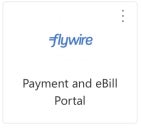
The University of Rhode Island partners with Flywire to provide a 24/7 account platform to make it easy for you to view and pay your semester balances.
- Explore tuition payment plan options.
- To view and pay your bill:
- Use your SSO to open your Microsoft MyApps page and click on the Flywire Payment and e-Bill Portal tile.
If you have any questions, please call Enrollment Services at 401-874-9500, send us an email: enrollment-group@uri.edu or visit our virtual lobby: https://web.uri.edu/enrollment/contact.
Step 12:
Title IX
Complete the mandatory Impressions online training course by logging on to Brightspace, URI’s learning management system (LMS).
This training will provide you with an engaging opportunity to obtain knowledge, skills, and resources to understand consent, the culture of care, bystander intervention, and to enhance your personal safety. The course also provides information on how to report an incident and where to go for support. If this course is not completed, a hold will be placed on your registration for the following semester.
Families and Supporters
Learn more about supporting your student’s transition to URI and setting them up for success. Attend Orientation to familiarize yourself with the URI community and our campus resources, take a campus walking tour, and enjoy a complimentary meal in one of our dining halls. We also have special opportunities for families and supporters to connect with current students to learn how you can best encourage, guide, and empower your Rhody Ram as they make URI their new home away from home. If you have questions but are unable to attend, please contact Rhode2Ram@uri.edu.
Orientation Parking and Transportation
In order to find the proper route when you arrive to campus, follow the posted signs and the directions of the staff.
Student Parking/Drop-Off
If you have driven a car to campus previously, visit the front desk of the Welcome Center when you arrive and let them know.
If you are driving a car to campus for the first time, you must register your car with the University’s parking system prior to your departure.
To register, please select:
– “Order Visitor Permit Here”
– “Campus Tour Parking Pass Lot 1 only ($0.00)”
– January 22 date and “Welcome Center Lot #1”
Lastly, enter your vehicle and contact information as directed.
The GPS address is 75 Briar Lane, Kingston, Rhode Island, 02881. There will be students to direct you to check in the Robert J. Higgins Welcome Center.
Public Transit
If you are traveling via public transportation, there are three options: bus, train, or plane.
The bus will take you to the Memorial Union Bus circle, a quick five minute walk to the student check-in.
You will want to plan for transportation to and from campus (taxi, rideshare, bus) if you arrive via train or plane.
The Amtrak Train station is approximately a 5-minute drive, and TF Green airport is a 30-minute drive from campus.
Learn more about transportation and parking options for studentsSpecial Assistance
If you or your student require special assistance during your orientation program, please be sure to contact the orientation office at least 7 business days in advance of your arrival at 401.874.2133 or via email at rhode2ram@uri.edu.
You will be walking to various locations on campus. Please dress comfortably and come prepared for inclement weather. If you need assistance with transportation on campus, please contact us at least 7 business days prior to your arrival at 401.874.5927 or via email at rhode2ram@uri.edu.
Recommended Technology
Some academic colleges and majors recommend that students bring certain types of computers, software, and/or operating systems with them to college to support their studies. Learn more about whether your major requires specific technology and how you can come to campus prepared.
Student Resources and Support

Contact
Office of New Student Transitions
Robert J. Higgins Welcome Center
45 Upper College Road
Kingston, RI 02881
rhode2ram@uri.edu
GPS Address:
75 Briar Lane
Kingston, RI 02881